Why food timing can matter
Levodopa and some amino acids from dietary protein use related transport systems. For some people, a protein-rich meal can change how quickly a dose is absorbed and begins to work.
Food timing does not affect everyone the same way. If you notice delayed or less predictable effects, take that pattern to your neurologist instead of changing doses or diet on your own.
The usual timing advice
Many people are advised to take levodopa 30 to 60 minutes before food, or at least an hour after a meal. Your own clinician may give you different instructions, so follow the advice for your regimen.
Understanding the rule is the easy part. The hard part is fitting meals, snacks and changing dose times around it every day.
Stop doing the arithmetic.
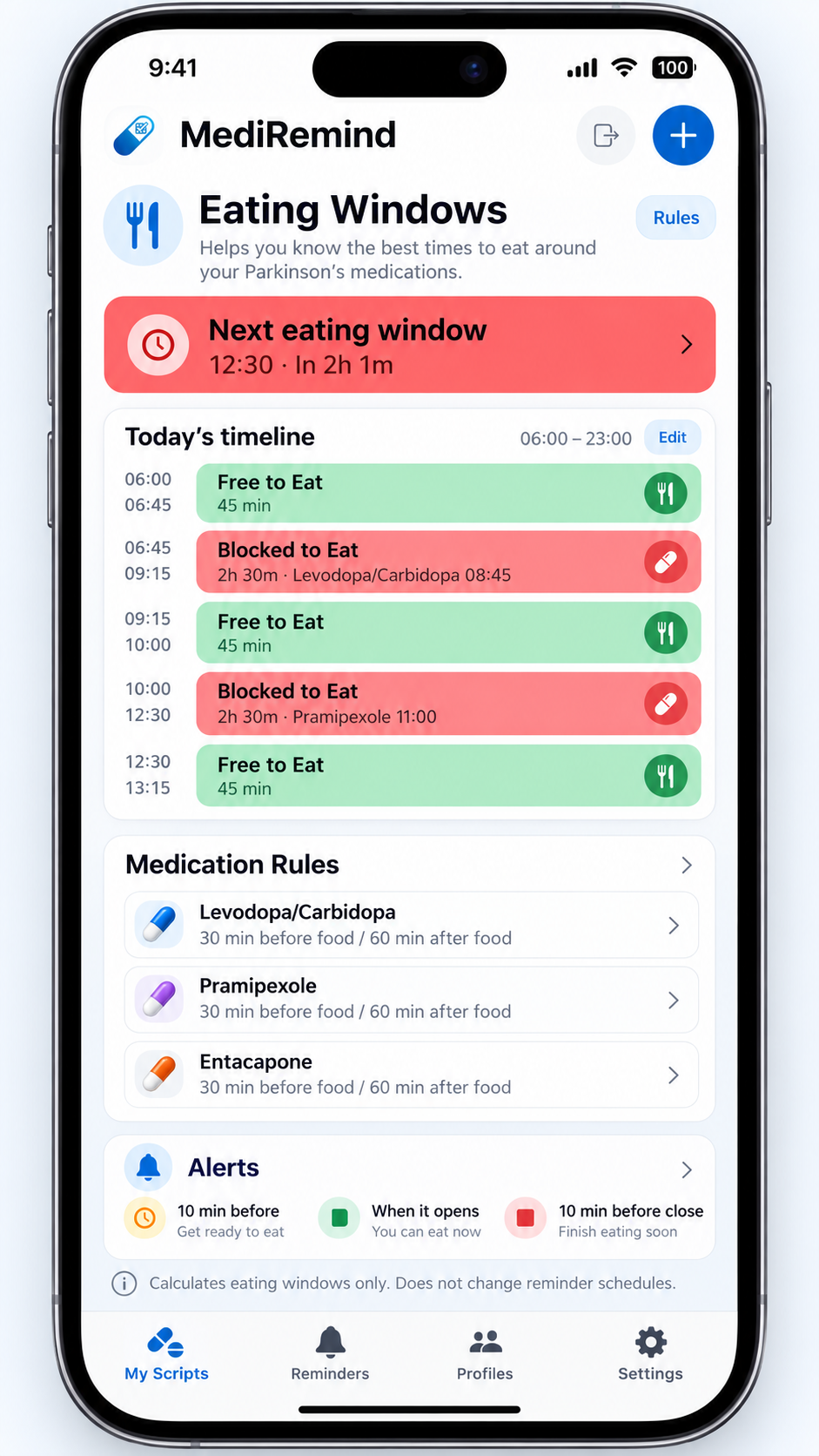
Enter your doses once. MediRemind shows when the eating windows calculated from your recorded rules are open or restricted, and alerts you when a window opens.


Free to download with a 30-day free trial. Subscription applies after the trial.
What Eating Windows shows you
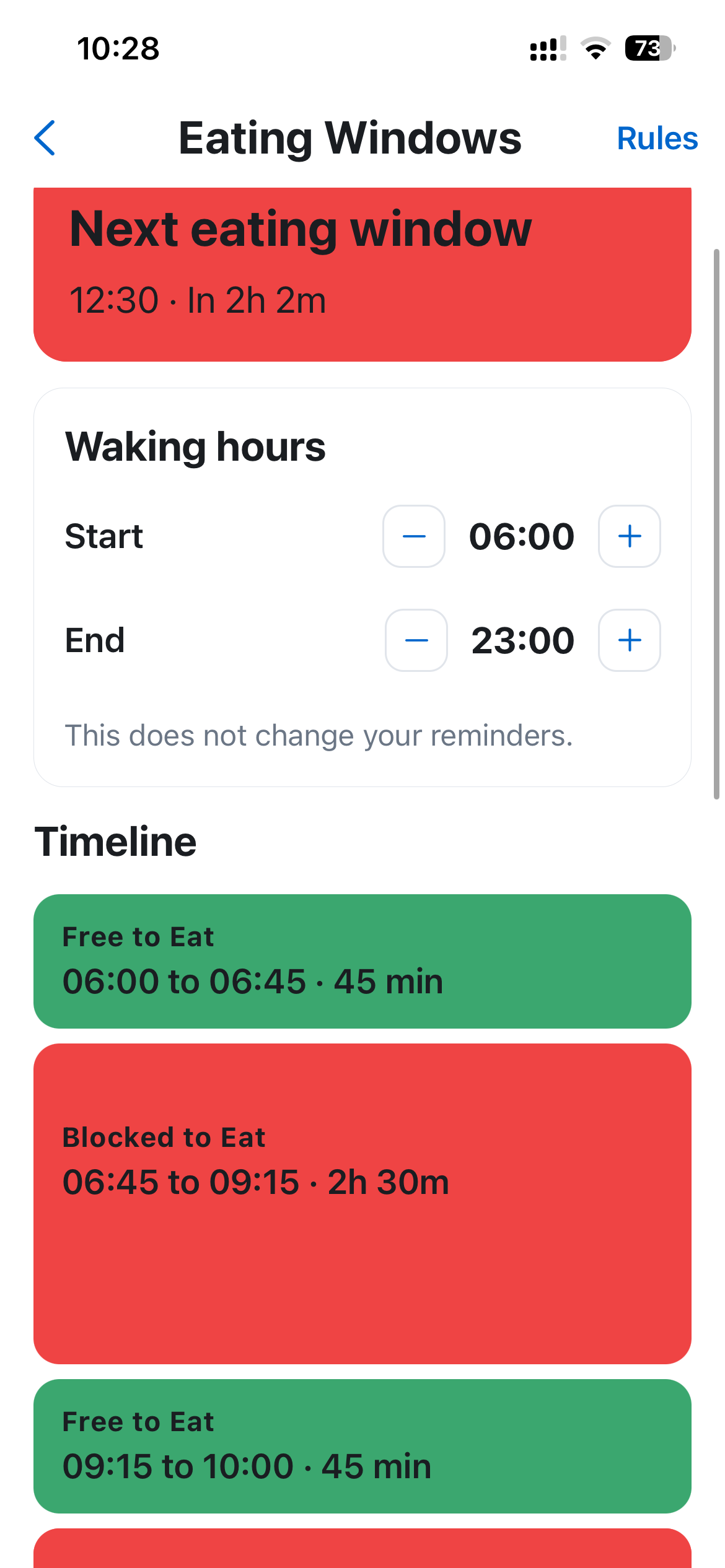
Your medication schedule stays yours. MediRemind calculates a timeline around the dose times and food-timing rules you record; it does not set your clinical instructions or change your medication schedule.
- Whether an eating window is open now
- When the next eating window opens
- Today's full timeline
- Food-timing rules recorded for each medicine
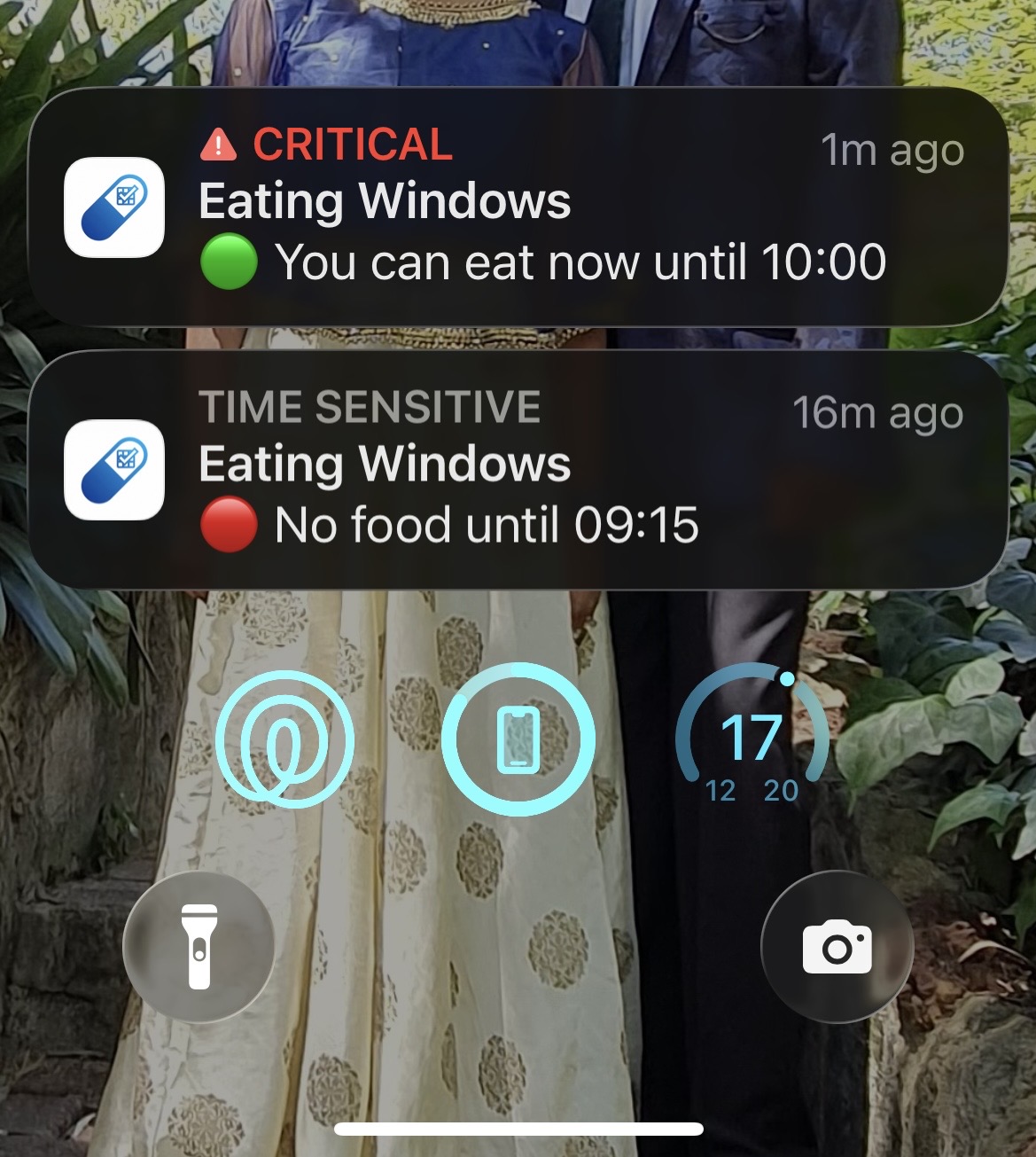
- Alerts before windows open and close
- Multiple scheduled doses in the same day
See today's eating windows without doing the calculation yourself.
MediRemind calculates the timeline from the dose times and food-timing rules you record, then alerts you as eating windows open and close.
Free to download with a 30-day free trial. Subscription applies after the trial.
How MediRemind helps
Your medication schedule stays yours. MediRemind calculates Eating Windows around the dose times and food rules you record. It does not decide which clinical rule is right for you or change your medication schedule.
Alongside Eating Windows, the MediRemind app keeps medication reminders, eScript information and repeats together. You can check how many repeats are left and share family medication records with a carer through a separate profile.
What a real day can look like
A four-dose day might have a shape like this, but it is an example, not a schedule to copy. Your neurologist sets your regimen.
- Take each dose at the time on your prescribed schedule and follow the food interval your clinician gave you.
- Fit meals and snacks around the eating windows recorded for your medicines.
- If a dose or meal moves, check the updated timeline rather than trying to remember yesterday's pattern.
- If protein timing is affecting you, ask your clinician whether a different meal pattern is appropriate.
Real days include appointments, visitors, snacks and delayed meals. A visible timeline can be easier to follow than doing the arithmetic again each time.

What about protein?
Protein is important for muscle and overall health. Do not cut it out to change how levodopa works.
Some people discuss protein redistribution with their care team, which usually means eating more of the day's protein at the evening meal. Modelling work has predicted a levodopa bioavailability improvement of around 34 per cent compared with a low-protein diet, and around 11 per cent compared with taking doses before meals.
This is not a do-it-yourself change. Talk it through with your neurologist and a dietitian, especially if you are losing weight or muscle.
What if timing does not explain the problem?
Delayed stomach emptying and constipation can also affect how quickly levodopa reaches the small intestine and is absorbed. Both are common in Parkinson's and are worth raising with your doctor if your medication feels unpredictable.
More on food timing and levodopa
In the small intestine, several transporters, including LAT2, are involved in levodopa uptake. At the blood-brain barrier, LAT1 carries levodopa into the brain. These are distinct transport contexts.
Taking levodopa after a meal rather than before has been associated with the time to peak blood concentration increasing roughly threefold, from around 45 minutes to around 134 minutes, and the peak concentration decreasing by about 30 per cent.
In a study of 1,037 people with Parkinson's, 5.9 per cent of people taking levodopa linked motor fluctuations to protein timing. Among people who already had motor fluctuations, the figure was 12.4 per cent.
Frequently asked questions
Can I take levodopa with food?
You can, but it generally works more slowly and less strongly. Taking it after a meal rather than before increases time to peak concentration about threefold and reduces the peak by around 30 per cent. Many people are advised to take it 30 to 60 minutes before food, or at least an hour after.
How long should I wait to eat after taking Madopar or Sinemet?
The usual advice is 30 to 60 minutes. Your own interval is a matter for your neurologist, since it depends on your regimen and whether you are experiencing motor fluctuations.
Does this apply to everyone taking levodopa?
No. In one study of 1,037 people, 5.9 per cent of those on levodopa linked their fluctuations to protein timing, rising to 12.4 per cent among people who already had motor fluctuations. It tends to matter more as the condition progresses.
Should I stop eating protein?
No. Protein matters for muscle and weight, both of which are already at risk in Parkinson's. The approach that is sometimes used is redistribution, moving most of the day's protein to the evening meal, and that is a decision to make with your neurologist and a dietitian.
What if the timing does not seem to explain what I am experiencing?
Delayed stomach emptying and constipation both slow levodopa absorption and are common in Parkinson's. Both are worth raising with your doctor.
Is MediRemind a medical device?
No. It is a medication organisation tool. It does not provide medical advice, it does not change doses, and it does not replace your clinician.